

Download Coppermine Photo Gallery – Photo Gallery, Website Integration, User Uploads, Custom Skins
Overview
Coppermine Photo Gallery is a dedicated tool designed for website owners seeking to integrate an interactive and customizable photo gallery into their online presence. Its primary purpose is to simplify the process of displaying and managing digital images on websites, enabling both administrators and users to contribute content with minimal technical effort. The app serves as a utility for enhancing user engagement through visual storytelling, making it ideal for community-driven websites, art portfolios, event documentation, and educational platforms.
By allowing visitors to upload images seamlessly, Coppermine fosters a dynamic environment where content is continuously refreshed and community interaction is encouraged. The solution is particularly valuable for non-technical users who may lack experience with web development or image management systems. The developer did not provide additional technical details, but the app’s long-standing presence in the web ecosystem suggests reliability and stability over time.
Real-world use cases include school websites hosting student projects, local clubs sharing event photos, and online forums with visual discussion threads. Its ability to integrate smoothly into existing websites positions it as a functional component within broader digital strategies. The app’s focus on simplicity and accessibility makes it a relevant choice in the category of web-based photo management tools.
Key Features & Functionality
- Easy Installation Process: The setup is designed to be quick and intuitive. Users can download the package, upload the files via FTP, and complete configuration through a web-based interface. The entire process can be completed in under five minutes, minimizing downtime and technical barriers.
- User-Friendly Uploads: Visitors can submit images without requiring advanced technical knowledge. The upload interface mimics familiar forum-style workflows, reducing the learning curve and encouraging broader participation.
- Customizable Skins: A variety of pre-designed skins are available, allowing website owners to match the gallery’s visual style with their site’s branding. This ensures a cohesive aesthetic across the entire platform.
- Tutorial Support: Comprehensive guides are provided to assist users during installation and configuration. These resources help mitigate common setup challenges and ensure optimal functionality from the start.
- Interactive Website Feature: By enabling user-generated content, the gallery promotes community involvement and increases site interactivity. This feature enhances user retention and contributes to higher traffic and engagement metrics.
For example, a photography club could use the app to allow members to upload recent work directly to the site. An educator might use it to collect student assignments in a visually engaging format. The gallery’s modular design supports scalability, allowing sites to grow their content library without performance degradation.
Interface, UX & Performance
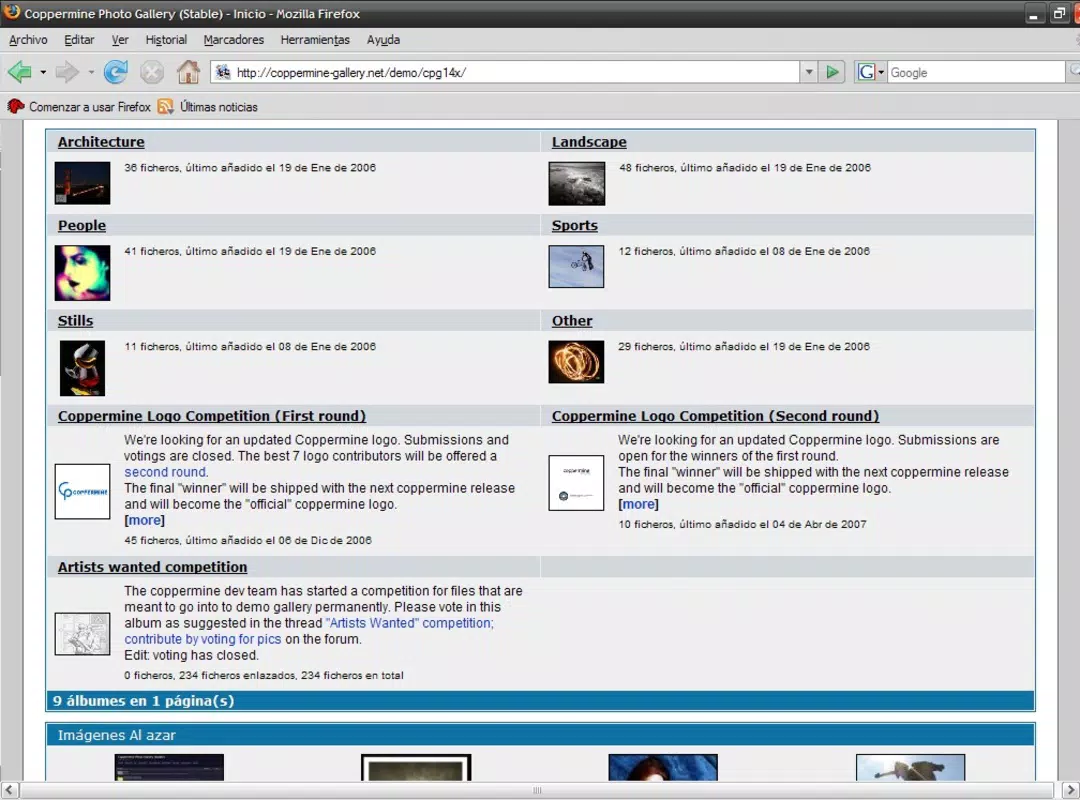
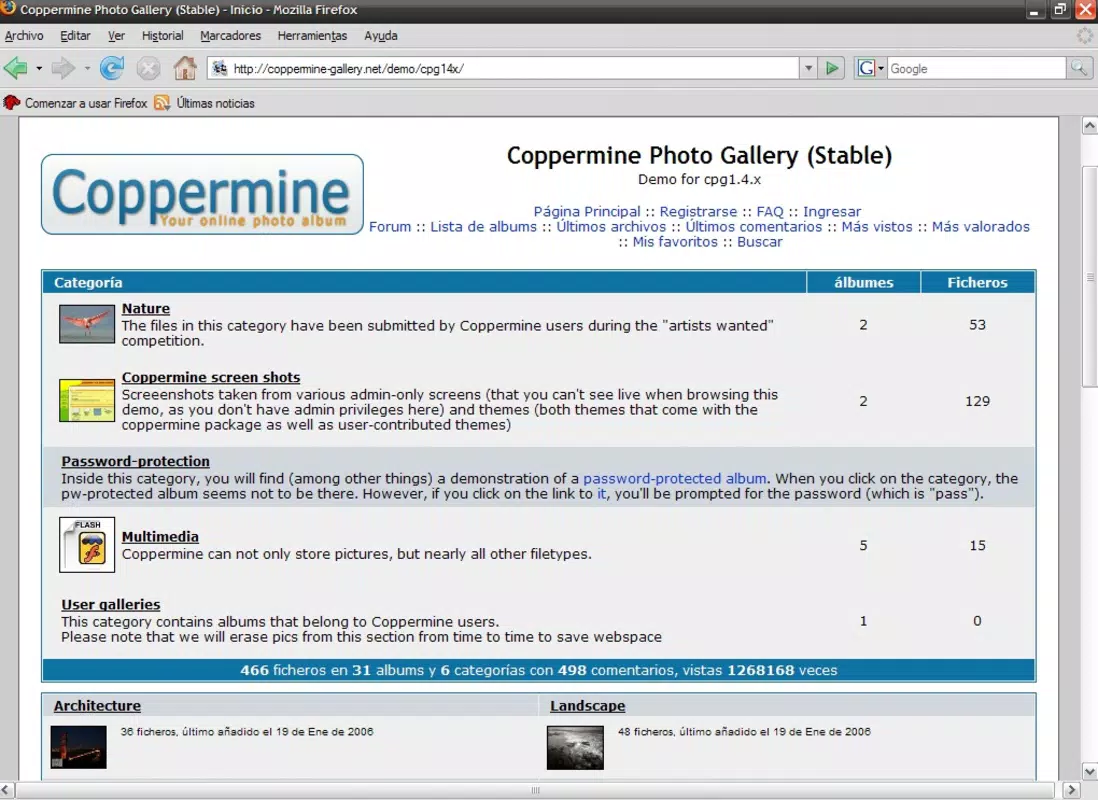
The interface of Coppermine Photo Gallery is built around clarity and efficiency, prioritizing functionality over ornate design. The layout follows a standard web application structure with clearly labeled navigation elements, making it easy for users to browse albums, view images, and manage uploads. Visual cues and consistent placement of controls contribute to a predictable user experience.
Navigation is straightforward, with a hierarchical menu system that allows users to move between categories, albums, and individual images with minimal clicks. The design emphasizes usability, ensuring that both administrators and end users can perform tasks without confusion. Although the developer did not list formal performance metrics, the app’s lightweight architecture suggests it operates efficiently across a range of devices and connection speeds.
Responsiveness is maintained through adaptive layout techniques, ensuring that the gallery remains accessible on desktops, tablets, and mobile browsers. Stability appears to be a strength, supported by its long-term availability and continued use in diverse environments. The developer did not specify minimum OS requirements or device compatibility details, but the app’s web-based nature implies broad accessibility across modern platforms.
Platform Compatibility & Technical Requirements
Coppermine Photo Gallery is a web-based application, not a native mobile app. It operates through standard web browsers and requires a compatible web server environment. The platform is designed to run on systems supporting PHP and MySQL, which are standard in most hosting environments.
The file size of the application is not publicly disclosed in the provided information. The version and release date were not specified in the input, though the app was last updated in 2014. The developer did not list specific operating system requirements or device compatibility details. Users should ensure their hosting provider supports PHP and MySQL to use the application effectively.
Pros and Cons
Pros
- Simple installation process that can be completed in under five minutes
- Intuitive upload interface suitable for non-technical users
- Wide selection of customizable skins for visual alignment with website design
- Comprehensive tutorial support for setup and configuration
- Encourages user engagement through interactive content sharing
Cons
- No official mobile app version available
- Release date indicates the app may be outdated (2014)
- Developer did not provide performance metrics or system requirements
- Relies on external server infrastructure (PHP/MySQL)
- Limited information on ongoing support or updates
FAQ
Is Coppermine Photo Gallery available as a mobile app?
Coppermine Photo Gallery is a web-based tool and does not have a dedicated mobile application. It can be accessed through mobile browsers on smartphones and tablets.
Can I use Coppermine Photo Gallery on my website?
Yes, Coppermine Photo Gallery is designed for integration into websites. It requires a web server with PHP and MySQL support to function properly.
Is the app secure for public use?
As a web-based application, its security depends on proper configuration and server setup. Users should follow recommended best practices for web security, including regular updates and secure file permissions.
Are there regular updates for Coppermine Photo Gallery?
The last known release was in 2014. The developer did not provide information on current update schedules or maintenance plans.
Can I customize the look of the gallery?
Yes, Coppermine offers a variety of skins that allow users to customize the visual appearance of the gallery to match their website’s design.
Final Thoughts
Coppermine Photo Gallery remains a viable option for website owners who prioritize simplicity, customization, and user engagement in their visual content strategy. While it lacks a native mobile presence and shows signs of age, its core functionality—easy installation, intuitive uploads, and visual flexibility—continues to offer value. It is best suited for small to medium-sized websites with stable hosting environments and a need for community-driven image sharing.
For those seeking a reliable, no-frills photo gallery solution that integrates seamlessly into existing websites, Coppermine delivers on its promise of accessibility and ease of use. Despite its outdated release date, the app’s foundational strengths make it a practical tool for specific use cases.
Download Coppermine Photo Gallery now


